Making AI outputs more transparent
Making AI outputs more transparent
Designed a lightweight browser extension that surfaces risk, uncertainty, and evidence signals to help users better evaluate AI-generated responses
Designed a lightweight browser extension that surfaces risk, uncertainty, and evidence signals to help users better evaluate AI-generated responses
ROLE
Product Designer
TIMELINE
2 Days
TEAM
Individual
RESPONSIBILITY
Ideation, Product Design, User Testing
Overview
Overview
Decision Trace is a lightweight Chrome extension that surfaces decision signals directly on top of AI responses. Instead of explaining what the model says, it highlights signals such as risk, uncertainty, and missing evidence to help users better evaluate AI-generated answers The goal is not to interrupt reading, but to introduce a quiet layer that makes AI outputs more inspectable at the moment of use.
Decision Trace is a lightweight Chrome extension that surfaces decision signals directly on top of AI responses. Instead of explaining what the model says, it highlights signals such as risk, uncertainty, and missing evidence to help users better evaluate AI-generated answers The goal is not to interrupt reading, but to introduce a quiet layer that makes AI outputs more inspectable at the moment of use.
WHY
Why is prevention difficult to sustain?
Why is prevention difficult to sustain?
Using AI tools in everyday workflows reveals a pattern: responses often sound confident—even when uncertainty or real-world risk is present. Without visible signals about reliability, it becomes easy to accept answers at face value.
The challenge is not access to information, but the lack of cues that help users judge how much trust a response deserves.
Using AI tools in everyday workflows reveals a pattern: responses often sound confident—even when uncertainty or real-world risk is present. Without visible signals about reliability, it becomes easy to accept answers at face value.
The challenge is not access to information, but the lack of cues that help users judge how much trust a response deserves.
Idea
Idea
What if AI outputs felt inspectable rather than authoritative?
What if AI outputs felt inspectable rather than authoritative?
Decision Trace introduces a quiet layer that visualizes risk, uncertainty, and evidence gaps at the moment of reading.
Decision Trace introduces a quiet layer that visualizes risk, uncertainty, and evidence gaps at the moment of reading.
2.WHAT IT DOES
Decision Trace automatically detects new AI responses and displays
Decision Trace automatically detects new AI responses and displays
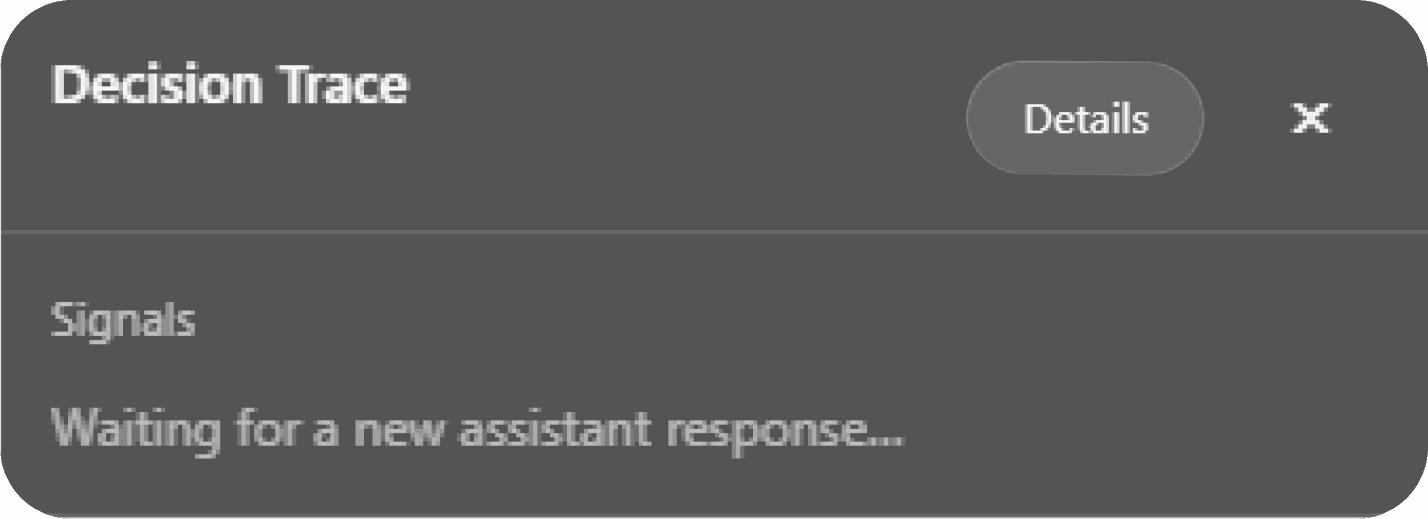
Task type
Risk presence
Missing evidence signals
Uncertainty markers
Task type
Risk presence
Missing evidence signals
Uncertainty markers
Details stay hidden unless the user chooses to inspect further.
Details stay hidden unless the user chooses to inspect further.
Visual Approach
Visual Approach
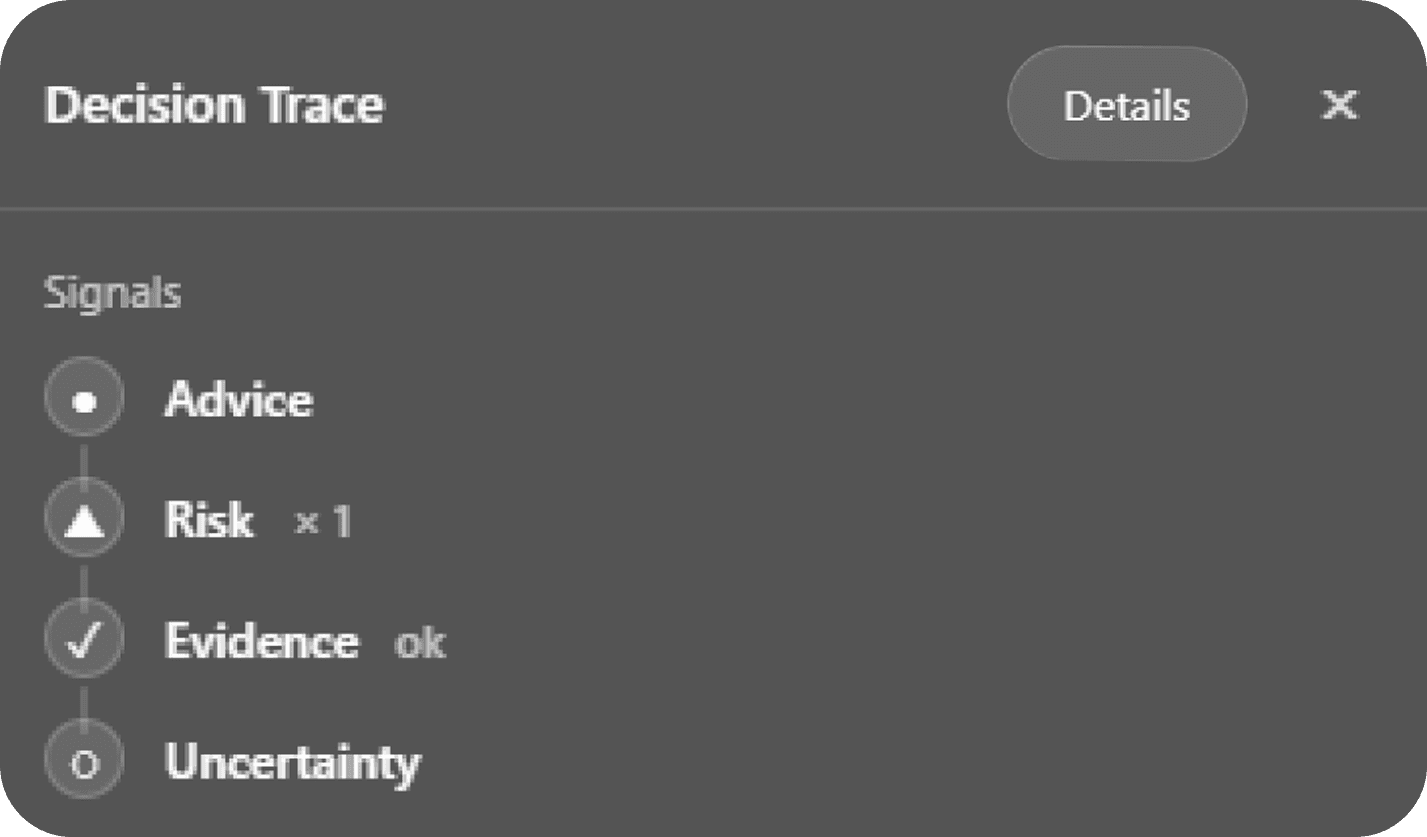
Ask a question → AI responds → signals update automatically
Ask a question → AI responds → signals update automatically
Signals are passive indicators, not instructions.
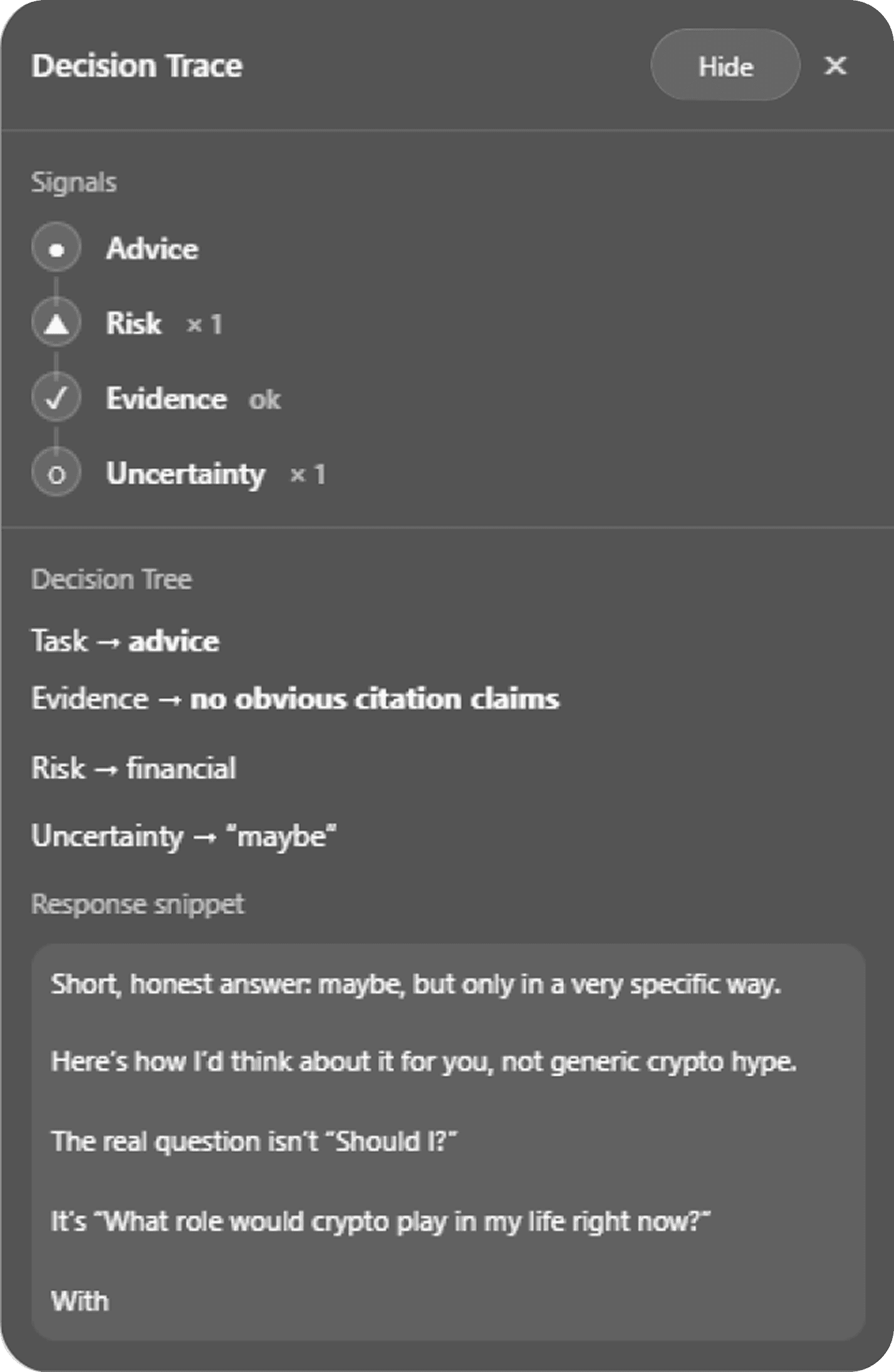
Users can open a Details view to explore a minimal decision tree without breaking reading flow.
Signals are passive indicators, not instructions.
Users can open a Details view to explore a minimal decision tree without breaking reading flow.
3.KEY FEATURES
Ask and read naturally
Ask and read naturally
The interface is signal-first and text-light. Inspired by system indicators and familiar UI patterns,
the UI stays calm, translucent, and non-intrusive.
The interface is signal-first and text-light. Inspired by system indicators and familiar UI patterns,
the UI stays calm, translucent, and non-intrusive.
Signals update automatically
Signals update automatically
As the response appears, key decision signals are detected in real time, advice, risk, evidence, and uncertainty.
As the response appears, key decision signals are detected in real time, advice, risk, evidence, and uncertainty.
Inspect only if needed
Click Details to reveal a minimal decision tree. See how the response is structured without leaving the reading flow.
Why Details helps?
Details doesn’t explain more. It shows what kind of reasoning is happening.
Where advice begins
Which real-world risks are involved
Whether claims imply evidence
Where uncertainty is introduced
This allows users to slow down only when it matters.
Inspect only if needed
Click Details to reveal a minimal decision tree. See how the response is structured without leaving the reading flow.
Why Details helps?
Details doesn’t explain more. It shows what kind of reasoning is happening.
Where advice begins
Which real-world risks are involved
Whether claims imply evidence
Where uncertainty is introduced
This allows users to slow down only when it matters.
4.PROCESS
AI METHODOLOGY
AI METHODOLOGY
01. Conceptual Logic
with ChatGPT
with ChatGPT
Used to structure complex decision scenarios and define the system’s underlying logic.
Abstract intuition was translated into explicit reasoning models, forming the conceptual backbone of the project.
Used to structure complex decision scenarios and define the system’s underlying logic.
Abstract intuition was translated into explicit reasoning models, forming the conceptual backbone of the project.
02. Technical Translation
with Claude Code
with Claude Code
Used to translate the defined logic into a working Chrome extension.
Enabled rapid prototyping of real interactions, shortening the design-to-code cycle.
Used to translate the defined logic into a working Chrome extension.
Enabled rapid prototyping of real interactions, shortening the design-to-code cycle.
03. Conceptual Logic
with Human-in-the-loop
with Human-in-the-loop
While AI handled syntax and structure, creative decisions stayed human-led.
Based on quick user feedback, I adjusted tone, visual balance, and usability to better support real reading.
While AI handled syntax and structure, creative decisions stayed human-led.
Based on quick user feedback, I adjusted tone, visual balance, and usability to better support real reading.
ITERATION
ITERATION
Each iteration was tested with 3 users for quick feedback on clarity and reading flow.
Each iteration was tested with 3 users for quick feedback on clarity and reading flow.
Iteration 1
Iteration 1
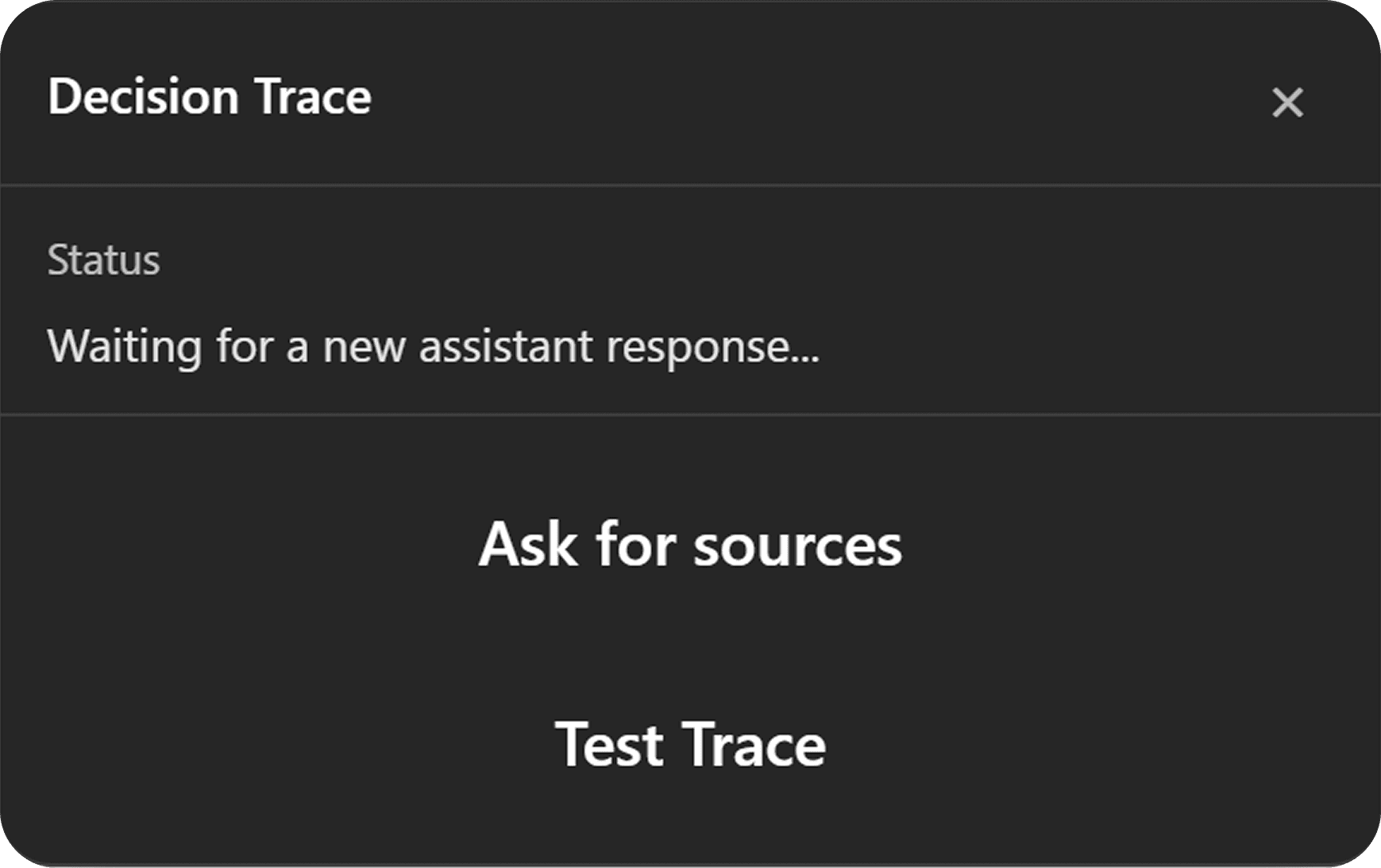
Buttons invited explicit actions but drew attention away from reading.
Buttons invited explicit actions but drew attention away from reading.
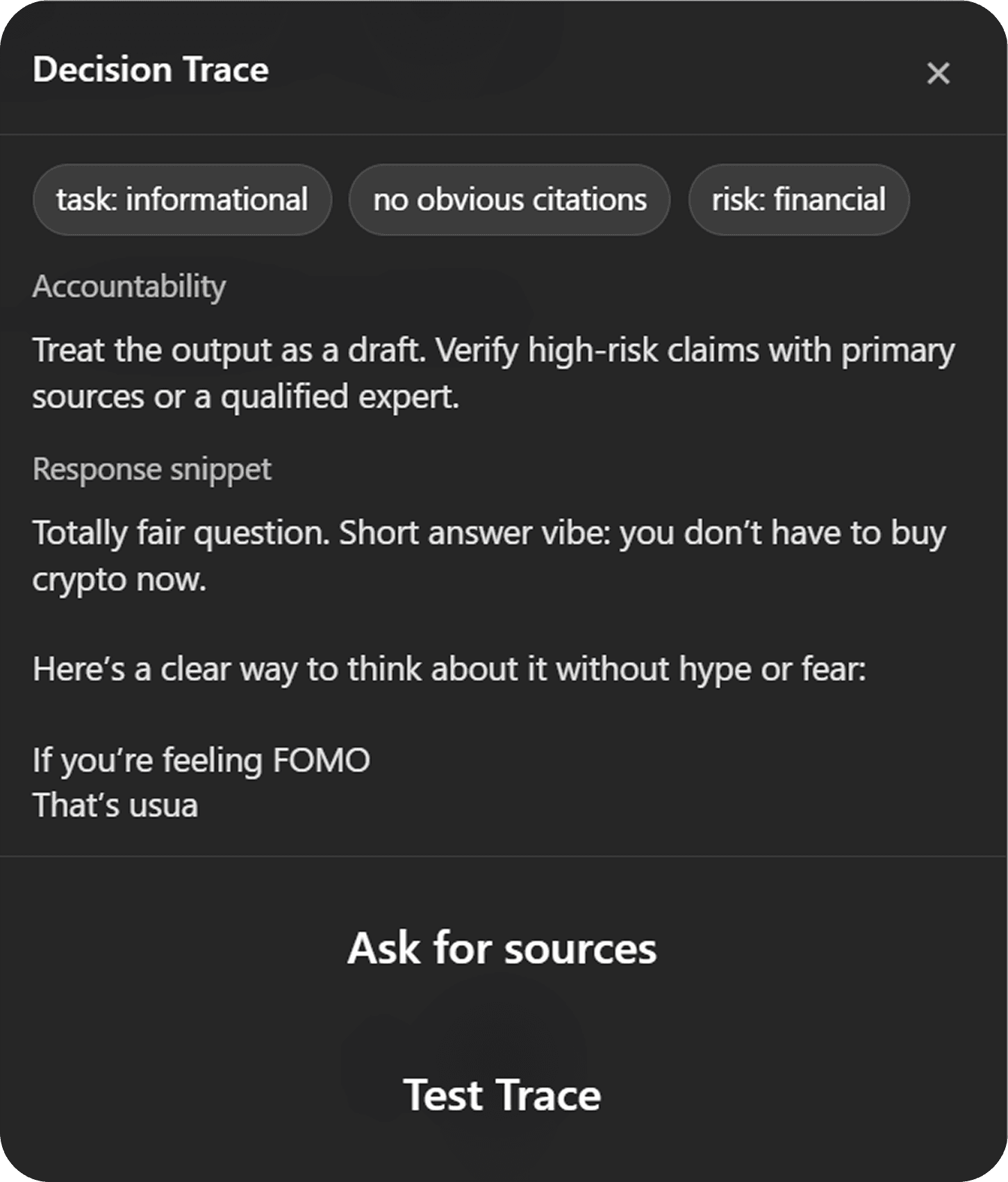
Feedback
Feedback
Too verbose
Required multiple actions to access deeper tracing
Pulled attention away from reading the AI response
Felt intrusive rather than supportive
Too verbose
Required multiple actions to access deeper tracing
Pulled attention away from reading the AI response
Felt intrusive rather than supportive
Iteration 2
Iteration 2
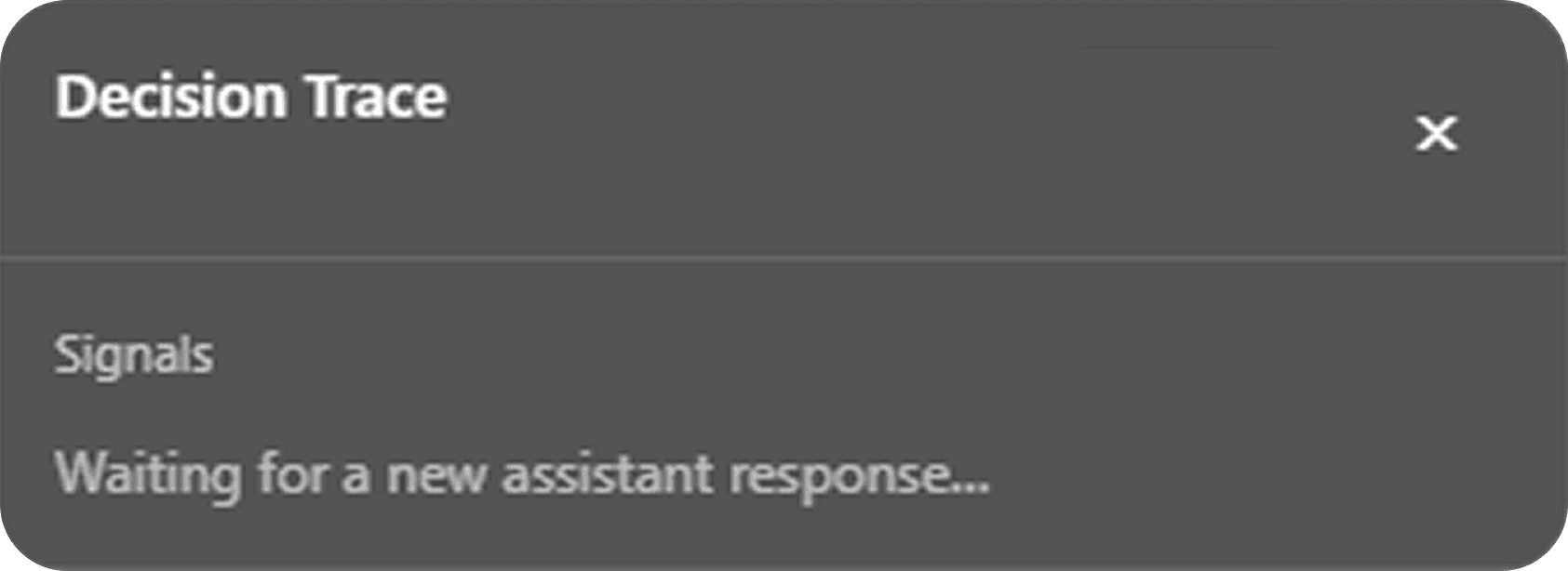
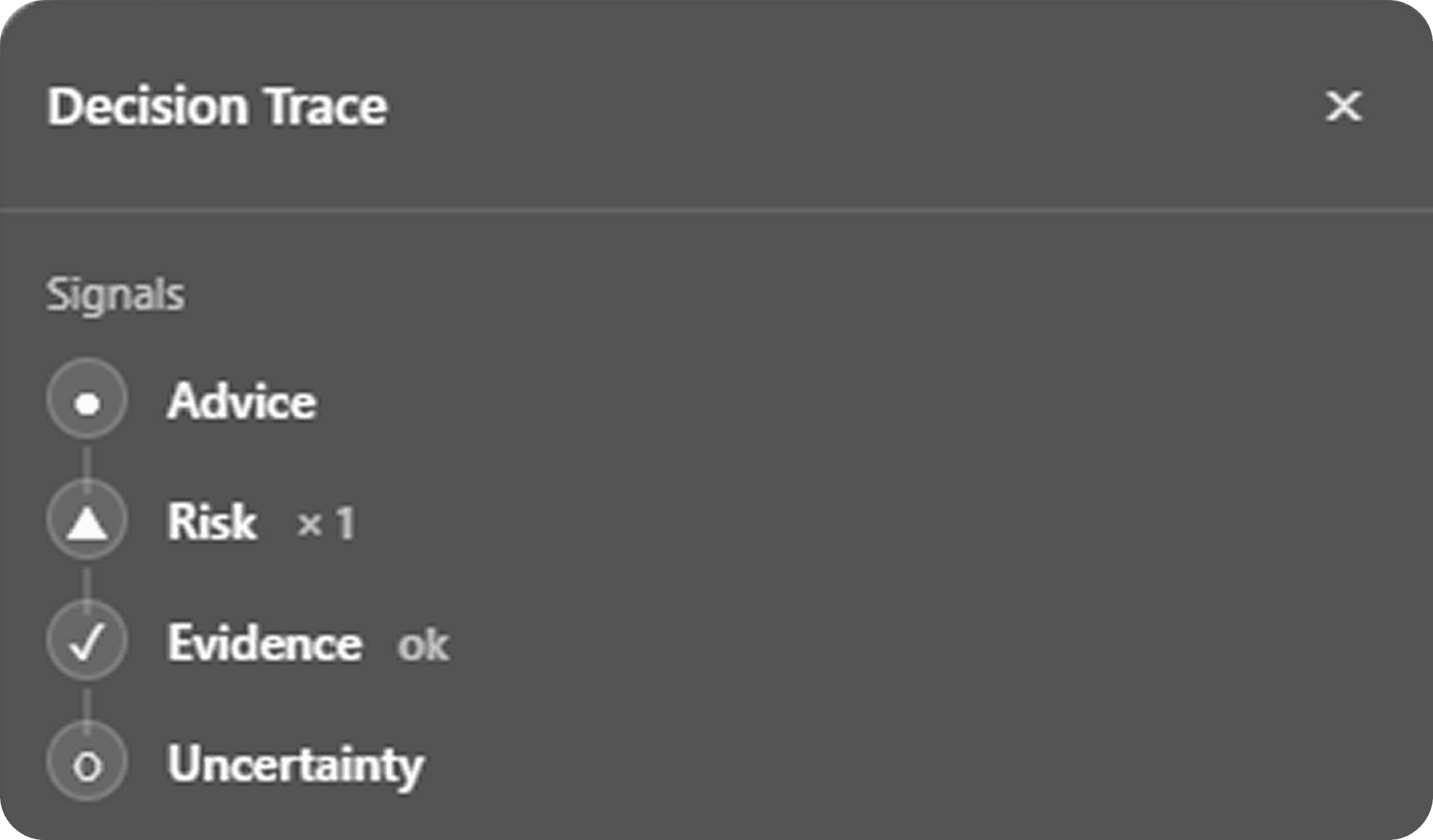
Simplified to signals only, but lacked a path for deeper inspection.
Simplified to signals only, but lacked a path for deeper inspection.
Feedback
Feedback
Lighter and less distracting
However, it felt too minimal
Without a way to explore further, the signals felt incomplete
Overall, the interface felt unfinished
Lighter and less distracting
However, it felt too minimal
Without a way to explore further, the signals felt incomplete
Overall, the interface felt unfinished
Final Iteration
Final Iteration
A signal-first approach with scoped detail view that enhances reading without interruption.
A signal-first approach with scoped detail view that enhances reading without interruption.
Key changes
Key changes
Removed all action buttons
Reduced language to core decision signals
Introduced a structured decision tree behind a single “Details” control
Enabled scrollable inspection without expanding the panel itself
Removed all action buttons
Reduced language to core decision signals
Introduced a structured decision tree behind a single “Details” control
Enabled scrollable inspection without expanding the panel itself
Each iteration removed friction until the interface learned to stay quiet and speak only when the user asked for more.
Each iteration removed friction until the interface learned to stay quiet and speak only when the user asked for more.
User Flow
User Flow
Ask → AI responds → Signals update → Optional Details inspection
1
1
The user asks a question in ChatGPT
The user asks a question in ChatGPT
2
2
The AI generates a response
The AI generates a response
3
3
Decision Trace automatically detects the new response
Decision Trace automatically detects the new response
4
4
A signal map appears, summarizing risk, uncertainty, and evidence at a glance
A signal map appears, summarizing risk, uncertainty, and evidence at a glance
5
5
If needed, the user opens Details to inspect the underlying decision structure
If needed, the user opens Details to inspect the underlying decision structure
The flow is optional, non-blocking, and designed to preserve reading momentum.
The flow is optional, non-blocking, and designed to preserve reading momentum.
6.REFLECTION
What I learned
What I learned
Keep decision support unobtrusive
Support was most effective when it stayed subtle and did not interrupt reading flow. Visual cues outperformed text-heavy explanations.
Use progressive disclosure to manage complexity
Revealing information in layers helped preserve momentum. It allowed users to access detail without overwhelming them upfront.
Protect user trust through neutrality
Signals must inform rather than persuade. When interfaces feel directive, credibility declines.
Next Steps